Filterya
Water purifier, air purifier, A/C filters —
never miss a replacement date.
Filterya reminds you when it's time to replace filters for purifiers and air conditioners,
and helps you keep a simple replacement history — a lifestyle app for healthier routines.
Preview
Key features
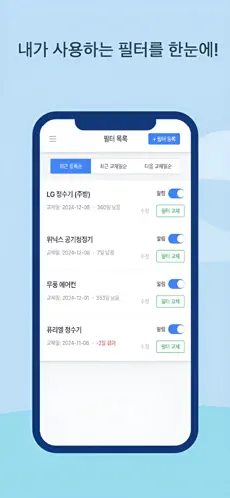
Replacement alerts
Get notified as your next filter change approaches.
Easy setup
Register and manage multiple devices and filters.
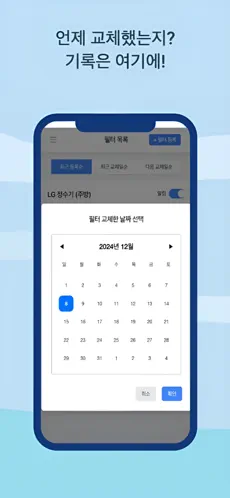
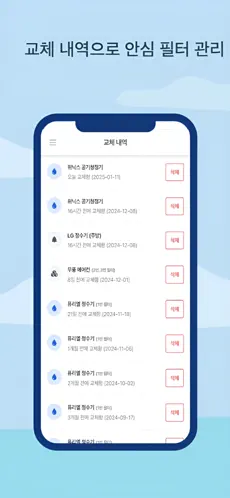
Change history
Log what you changed and review it anytime.
Find filters & products
Search compatible filters by name or model and link them to your list.
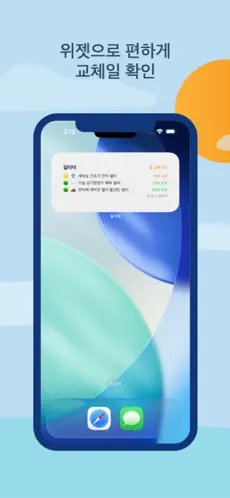
Home screen widget
See remaining time until replacement without opening the app.
Recommended for
Anyone who forgets purifier or HVAC filter changes
Households juggling different replacement cycles
People who want to know exactly which product to buy next
Those who prefer glancing at a widget for days remaining
How Filterya differs
Instead of squeezing filter changes into a generic to-do list, Filterya streamlines registration, reminders, and history around replacement cycles.
| Area | Filterya | Common alternatives |
|---|---|---|
| Domain fit | Models purifiers, air purifiers, and A/C filters explicitly | Generic calendars hide detail behind vague tasks |
| History | Keeps a lightweight log of what you changed and when | Notes often scatter across apps |
| Product discovery | Search helpers to link compatible filters by model/name | Shopping-only search workflows |
| Widgets | Home screen visibility for days remaining | Often missing or not tuned for maintenance cycles |
Manufacturer apps may include IoT diagnostics. Filterya focuses on reminders and replacement history.
FAQ
- Can I register multiple purifiers?
- Yes. Add multiple devices/filters and manage each replacement cadence separately.
- Notifications feel too frequent.
- Tune notification timing in the app. Pair with device Do Not Disturb schedules if needed.
- What if I do not know the exact model?
- Search can suggest candidates, but always verify compatibility with manufacturer guidance.
- Can my family use it together?
- Refer to in-app settings and the privacy policy for account and device policies.
- My widget is missing.
- Widget setup varies by OS version. Update the app and re-add the widget from the home screen.
Cleaner air and water starts with timely swaps.
Download and add your first filter today.